This update delivers significant advances in operational flexibility and security monitoring capabilities. It addresses the evolving needs of security teams across diverse deployment environments, from air-gapped networks to those prioritizing automation and simplicity, while expanding integration options and improving visibility into data flows.
Director Modes – Self-Managed and Managed
DataStream now supports two configuration management modes for Directors: Self-Managed and Managed. This flexibility allows organizations to align Director operations with their own security and change control policies. In Managed Mode, the Director maintains an automatic connection to the platform, receiving configuration updates in real time. This keeps systems synchronized with minimal manual effort and is ideal for environments prioritizing simplicity and automation.
In Self-Managed Mode, administrators manually download configurations from the platform and upload them to Directors. This mode is suited for air-gapped or highly regulated environments where external connectivity is restricted. The platform provides clear warnings when a configuration is available but not yet applied, ensuring visibility into configuration status. Regardless of mode, Directors continue sending health and operational statistics to maintain monitoring continuity.

Microsoft Stats Dashboard
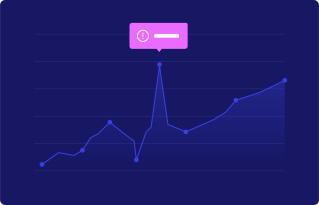
Many users forward their data to Microsoft platforms such as MS Sentinel, ADX, or Blob Storage. The new Microsoft Stats dashboard shows how much data is collected, how much is sent to each Microsoft target, and how much data is reduced before transmission. This helps admins track integration performance, control ingestion volume, and understand the efficiency of the pipelines in real time.

It becomes easier to detect bottlenecks, verify that pipelines are running as expected, and troubleshoot integration issues quickly. Instead of waiting for manual reports or switching screens, the information is immediately available.
Usage and Limits
Capacity planning and resource control are easier when usage is transparent. The new Usage and Limits screen tracks consumption over time and supports filtering for deeper analysis. There are two different views depending on the need.
The company-level view shows total usage across the entire environment. This is especially useful for MSSP scenarios or high-level monitoring. The tenant-level view focuses on a single tenant, allowing admins to isolate issues or track specific workloads. With both levels available and clear visibility into limits, it becomes easier to avoid overages, evaluate trends, and justify upgrades before running into constraints.

Preprocessing Pipeline per Log Type
Log types behave differently and often need different processing rules. Applying one pipeline to all logs can create noise or waste resources. To solve this, we now allow each log type to have its own preprocessing pipeline directly from the agent configuration.
For example, Windows Event Logs can have one pipeline focused on enrichment, while Firewall Logs can have a different pipeline that applies filtering or transformation specific to that data. This setup improves data quality, reduces noise early, and optimizes performance before data even reaches the main pipeline. It gives admins flexibility without increasing complexity, because configuration is still managed from one place.
Windows Firewall Logs
Endpoint-level network visibility is now available through Windows Firewall log collection. This feature allows the platform to capture both allowed and blocked connections directly from Windows devices. Admins can configure which profile types to monitor, such as domain, private, or public networks, depending on their environment.

Firewall data at the endpoint level helps detect lateral movement, unauthorized outbound connections, and blocked activity that perimeter firewalls may not see. This gives SOC teams better insight into what is happening on devices and strengthens detection coverage.
Linux Agent
Linux environments can now be monitored using both agent-based and agentless approaches. The Linux Agent supports the collection of system logs, application data, and audit information, giving administrators complete visibility into Linux infrastructure.
In Agent Mode, the collector is installed directly on the target system, offering full control over configuration and updates. In Agentless Mode, administrators can collect logs remotely from multiple Linux machines without deploying agents individually. This is especially useful for large-scale or dynamic environments where installation overhead needs to stay minimal. Together, these two modes provide flexibility and control, ensuring comprehensive log collection that fits different operational requirements and security policies.
New Targets
DataStream continues to expand integration options, adding new destinations for security data. The latest release introduces support for Splunk HEC, Microsoft Defender, and Amazon Security Lake as output targets.
The Splunk integration enables direct data forwarding to existing Splunk environments, preserving structured fields when recognized and sending unrecognized data as raw input. Microsoft Defender and Amazon Security Lake integrations extend this flexibility, allowing organizations to route logs into their preferred security ecosystems for further analysis and correlation.
Looking Ahead
These updates improve flexibility in how to deploy and manage DataStream, strengthen endpoint visibility, and give better control over data processing and routing. The new Director modes accommodate different security policies, while the Microsoft Stats dashboard and Usage and Limits screen make it easier to monitor performance and plan capacity. Per-log-type preprocessing and expanded target support ensure data flows efficiently to where it’s needed.
Looking ahead, we’re continuing to expand integration options, enhance pipeline capabilities, and add features that help security teams operate more effectively at scale.
See VirtualMetric DataStream in action
Start your free trial to experience safer, smarter data routing with full visibility and control.