The challenge
Remove friction from telemetry collection
SOC and infrastructure teams are stuck endlessly deploying and maintaining agents across thousands of systems, patching, updating, and troubleshooting them. Add to that fragmented tools, inconsistent formats, and credential sprawl, and what should be simple data collection turns into an expensive, error-prone bottleneck.
The Solution
DataStream – intelligent security data pipeline platform
Get clean telemetry in minutes
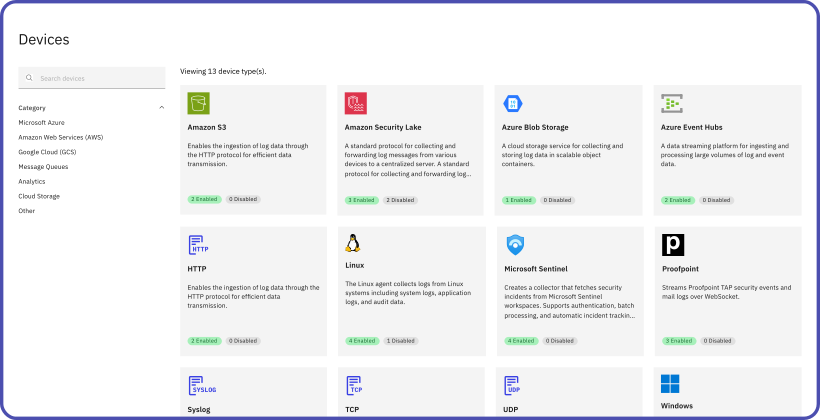
DataStream connects directly to 300+ sources to gather security data safely and reliably. There’s no need to install additional software, restart systems, or manage complicated setups because everything works out of the box.
Start fast, stay simple
Because you don’t have to maintain anything on endpoints, you skip the hassle of patching and updates across thousands of devices. Secure integration with your existing systems makes setup fast and easy while keeping your environment protected.
Categorize at the source with Datasets and Profiles
Data is sorted into groups like Windows logs, Linux logs or user activity as soon as collection starts. Profiles let you define collection rules once and apply them across your whole device fleet. Pipelines stay cleaner, and compliance checks are easier from the start.
Key benefits
Why this approach works

Supported environments
One platform, no puzzle to assemble
You don’t need a patchwork of third-party collectors or separate “ingest tools.” DataStream’s agentless collection is built in, so you aren’t stitching together (and maintaining) multiple components to get data flowing.
Frequently asked questions
Do we need to deploy endpoint agents?
No, deploying an agent is not the only way to collect data. DataStream supports both agent-based and agentless deployment models. For environments where installing agents is not preferred, you can use our agentless option, which leverages secure, read-only access over WinRM/SSH and native system logging facilities. This gives you full flexibility to choose the collection method that best fits your infrastructure and security requirements. Where you choose agents, enrollment templates speed up rollout across your systems.
How are credentials handled?
Device and target settings can hold credentials directly or reference a secret stored in Vault. The built-in VirtualMetric Vault keeps secrets encrypted at rest with AES-256-GCM. On Enterprise, secrets can also come from Azure Key Vault, CyberArk Central Credential Provider or HashiCorp Vault, so the value stays in your own vault. When you rotate a secret in Vault, every device and target that references it picks up the new value, and each secret keeps its own activity log. Windows collection can use Active Directory service accounts over WinRM, and Linux collection uses SSH key-based authentication, ensuring a secure, password-less connection.
What makes the dataset-based approach unique?
Unlike traditional source-based collection models, our dataset approach is designed to make pipeline creation significantly easier and more intelligent. Since each dataset is already categorized, such as Windows Event Logs, Linux Audit Logs, or authentication events, you immediately know the structure and context of the data you’re working with.
Will collection impact system performance?
Collection uses native interfaces with a minimal footprint and read-only permissions.
Get DataStream in Microsoft Security Store

Deploy DataStream in minutes with Azure Managed Identity support built in. No credential management, no manual setup.