This update to VirtualMetric DataStream brings V-Pilot, an AI assistant in the DataStream interface for questions, fixes, and changes. It also adds new ways to protect sensitive data and monitoring that learns what normal looks like for each resource. More than 30 new data sources arrive as well, along with agents for Oracle Solaris, IBM AIX, and macOS.
Here’s what’s new.
New features
V-Pilot
V-Pilot is an AI assistant that works inside the DataStream interface. A new button in the header opens it as a chat panel that stays with you as you move between pages.
You can ask V-Pilot questions in plain language, such as “Why is no data coming from this device?” It answers from your own tenant. It also explains alerts and errors and answers questions from the DataStream documentation.

V-Pilot writes and fixes pipelines and gets work done on request, such as “deploy the Director.” It looks up your resources and proposes changes. Each change is previewed and applied only after you approve it. A single proposal can apply the same change to multiple resources at once.

Long tasks run in the background. Every action is audited, and conversations stay private.
V-Pilot is available on every plan.
Data protection on targets
Each target can now have its own setting for whether sensitive data may leave. When it may not, the Director redacts, masks, hashes, or encrypts sensitive values before sending. It never sends a record it cannot protect.
Sensitive Data Rules
A new Library tab holds the rules that find sensitive values. The built-in rules can be fine-tuned, and new ones can be added. Each rule is tested against sample values as you type.
The same rules decide what is masked in Live Data, in console logs, and by data protection on targets.
LogChain data integrity
With LogChain, agents sign the data they send. The Director checks that it arrived unchanged, in order, and complete.
You decide what happens when a check fails, and a new alert rule type reports it.
Anomaly detection rules
New anomaly detection rules learn each resource’s normal behavior and alert when it changes. Three rule types are available:
- Volume anomalies – with source-level monitoring, each log source learns its own normal, so a change in one source stands out even when the device’s total looks normal
- Event storms – when a resource’s events suddenly multiply
- Gradual decline – when a resource sends fewer events week after week

Forecast rules
Forecast rules warn before Director queues, Director disks, or target delivery lag reach their limits, instead of after.
Agents for Oracle Solaris, IBM AIX, and macOS
VirtualMetric agents now install on Oracle Solaris, IBM AIX, and macOS the same way as on Windows and Linux. All five are managed from one device list, and Solaris and AIX agents can update themselves.
Smart Engine workspace for Microsoft Sentinel
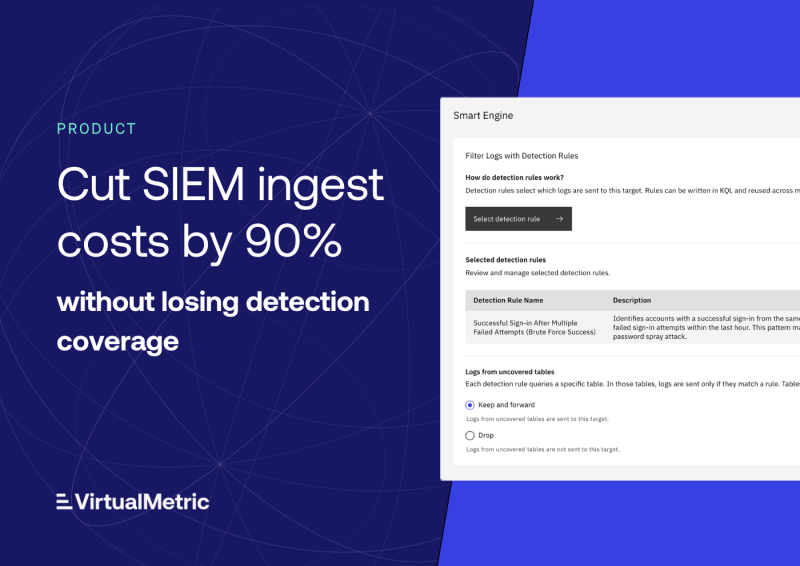
A new Smart Engine workspace for Microsoft Sentinel shows, table by table, which fields your Sentinel analytics rules keep and the savings to expect. You can keep any extra columns your workbooks need, and try Smart Engine on logs captured at the target before you turn it on.
Microsoft Sentinel templates from Library schemas
You can now generate what Microsoft Sentinel needs to receive your tables from Library schemas, as a Data Collection Rule, ARM template, or Bicep template. Several schemas can go into one template, ready to deploy.
Event Split Rules
Event Split Rules turn a batched message into separate logs. An Azure Event Hubs message that carries many records is one example.
Built-in rule sets cover common cases, and a preview shows the result before you save. Event Split Rules work with Azure Event Hubs, Azure Service Bus, Kafka, HTTP, and Google Pub/Sub sources.
Improvements
Encrypted, masked live captures
Live Data and console log captures are now encrypted end to end between the Director and the browser. Sensitive values are masked by default, and only roles allowed to see unmasked data can turn masking off.
Volume alerts against each resource’s average
Volume alerts can now compare each resource with its own average, with separate thresholds for working hours and off-hours.
Service desk tickets from alerts
Alerts can now open tickets in Freshservice and Freshdesk as well as Jira. Ticket priority can follow alert severity, and a repeated alert can add a note to the existing ticket instead of opening a new one. You can also acknowledge or resolve several alerts at once, and each rule’s activity log shows every notification it sent and whether it succeeded.
More than 30 new data sources
New integrations extend where DataStream can collect from:
- Industrial systems – OPC UA, Modbus, Siemens S7, KNX, Bosch Rexroth ctrlX CORE, EtherNet/IP, BACnet, DNP3, and IEC 104
- Cloud and messaging – Amazon CloudWatch Metrics, Amazon Kinesis Data Streams, Amazon Data Firehose, Amazon MQ, Azure Service Bus, AMQP, 1Password, and Cato Networks
- Application telemetry – Kafka, MQTT, Redis, InfluxDB, and StatsD receivers, plus MQTT topic collection and Prometheus scraping
- Network telemetry – gNMI (including dial-out for Nokia SR OS), Cisco model-driven telemetry, Juniper JTI, and TLS Check
- Infrastructure – Kubernetes, Proxmox VE, KVM/QEMU hosts via libvirt, Elasticsearch and OpenSearch queries, and Redfish for server hardware
New agent datasets
Agents can now collect host certificates on Windows and Linux, plus Docker containers and their logs, WireGuard interfaces and peers, and Suricata statistics on Linux.
New and updated targets
Targets gain a new destination and a new API option:
- Palo Alto Networks Cortex XSIAM – a new target that sends data to Cortex XSIAM
- Google Chronicle – the target can now send through the Chronicle API, ahead of Google’s retirement of the legacy Ingestion API
AWS Secrets Manager
Devices and targets can read their secrets directly from AWS Secrets Manager.
These are the highlights – this update also includes a broad set of fixes.
Looking ahead
These changes bring an AI assistant into DataStream, give more control over where sensitive data can go, and help monitoring spot changes as they develop. We’ll share what comes next in upcoming updates.
For setup details on any of these features, see the DataStream documentation.
As always, feedback from real-world deployments helps guide future development. If you would like a walkthrough of any of these features or want to share suggestions, we would be glad to hear from you.
See VirtualMetric DataStream in action

Start for free to experience safer, smarter data routing with full visibility and control.