The latest VirtualMetric DataStream release introduces several important capabilities across platform security, data management, and operational workflows. This update strengthens access protection, simplifies infrastructure management, and expands the ways security teams can work with live telemetry.
It also extends platform connectivity and improves the user experience across many areas of the interface.
Let’s take a closer look.
New features
Multi-Factor Authentication (MFA)
Platform access security has been significantly strengthened with the introduction of multi-factor authentication.
Users can now protect their accounts with two authentication methods: email-based one-time passwords or TOTP generated by authenticator applications.
Tenant administrators retain full control over MFA settings and can reset authentication configurations when necessary, prompting users to reconfigure MFA on their next login. Individual users can also manage their authentication preferences from the platform’s settings panel.
Together, these controls provide stronger protection for administrative access while allowing organizations to enforce security policies across their environment.

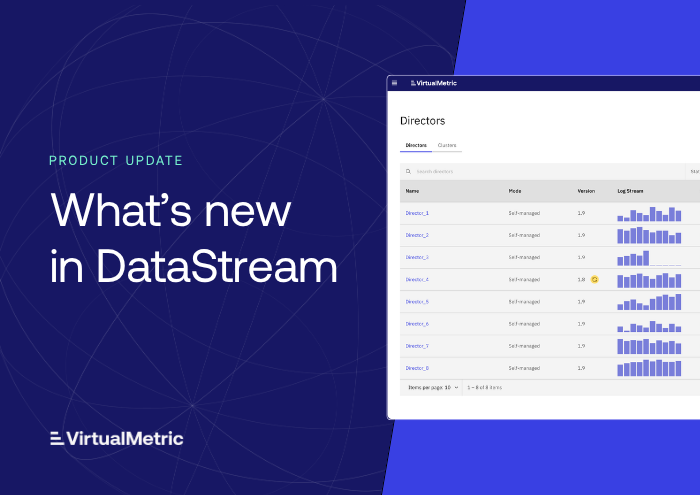
Update management for Directors and Agents
Managing software versions across distributed infrastructure is now easier with the introduction of Update Management.
The new version management system allows administrators to control updates for Directors and Agents from a central interface. When new versions become available, teams can choose whether updates should be applied automatically or triggered manually.
This flexibility allows organizations to keep infrastructure current while maintaining control over when updates occur, helping teams align upgrades with maintenance windows and operational policies.

Dataset and Profile management
Data collection configuration has been simplified with the introduction of the Datasets and Profiles feature.
This capability centralizes log type management for agents. Instead of configuring log types individually on every agent, administrators can define datasets and profiles that specify which telemetry should be collected and apply those configurations across multiple agents simultaneously.
This approach ensures consistent data collection policies across infrastructure while significantly reducing configuration effort.

Guided onboarding experience
New users now benefit from a guided onboarding flow designed to streamline the initial platform setup.
The onboarding process walks users step by step through the essential configuration tasks required to begin collecting and processing telemetry. By guiding users through these early steps, the platform reduces time-to-value and helps teams establish a working environment more quickly.

Content Hub expansion
The Content Hub has been expanded beyond pipelines to include Advanced Route packs.
Users can now browse, download, and apply both pipeline and routing configurations from the same interface. This unified content library simplifies discovery and makes it easier to deploy standardized processing and routing patterns across environments.
KQL support for pipeline
This release introduces full support for Kusto Query Language (KQL) inside DataStream pipelines.
Security teams can now run Microsoft Sentinel-compatible detection queries directly on live data streams before telemetry reaches the SIEM. Source events are automatically normalized into standard schema views within the pipeline, allowing existing detection logic to operate on streaming data without modification.
KQL queries are compiled at runtime into the appropriate SQL dialect for the underlying database engine, enabling the same query to work across multiple backends such as SQLite, MySQL, ClickHouse, and PostgreSQL.
This capability allows teams to apply familiar detection logic earlier in the data pipeline, enabling real-time analysis and enrichment during data processing.
Improvements
Expanded platform integrations
DataStream connectivity continues to grow with several new device and streaming platform integrations.
Three new streaming targets have been added: Apache Kafka, Confluent Cloud, and Redpanda, expanding support for high-volume event streaming architectures. Additional device integrations include Amazon S3, Amazon Security Lake, and Microsoft Sentinel, enabling broader ingestion and routing scenarios across cloud environments.
These additions make it easier to integrate DataStream into existing security and data engineering ecosystems.
User provisioning improvements
User management workflows have been simplified with the introduction of an invitation-based provisioning option.
Administrators can now invite new users by email, allowing them to create their own credentials during their first login. This removes the need for administrators to manage initial passwords and streamlines team onboarding.
Pipeline debugger improvements
The Pipeline Debugger continues to evolve with new usability enhancements.
System fields can now be excluded from debugging output, allowing developers to focus on relevant data transformations during inspection. Interface refinements also improve the debugging workflow and make pipeline development easier to follow.
Interface and usability enhancements
A range of interface improvements have been introduced to improve navigation, clarity, and consistency across the platform.
Quick Routes now includes a search filter for faster device and target selection. Device integrations are grouped by category to improve discoverability, and vendor filtering in the Content Hub has been refined to scale better as the number of integrations grows.
Additional usability improvements include a new helper menu displaying platform version information, standardized loading and navigation elements, and a new summary drawer panel that surfaces key configuration details directly from table views.
Looking ahead
This release focuses on strengthening platform security, improving operational workflows, and expanding the ways teams can interact with security telemetry.
In upcoming releases, we will continue building on these foundations by expanding automation, adding new integrations, and refining the developer and operator experience.
For a complete overview of changes, including minor improvements and fixes not covered here, refer to the documentation and release notes.
As always, feedback from real-world deployments helps guide future development. If you would like a walkthrough of any of these features or want to share suggestions, we would be glad to hear from you.
See VirtualMetric DataStream in action

Start your free trial to experience safer, smarter data routing with full visibility and control.